Open-source audio · NAM · TONE3000

Open-source audio & TONE3000: the complete guide to building “Chain of Sound”

Open-source Neural Amp Modeler technology, combined with the free TONE3000 library of more than 700,000 captures and impulse responses, has changed how guitarists get their tones. As the creators of Chain of Sound, we build professional-grade signal chains entirely from the free TONE3000 plugin and community-shared NAM captures — no paid hardware and no paid software required.

INSTRUMENT MODEL CABINET DI NAM A2 4x12 IR −12 dBFS unity gain matched mic TONE3000 LIBRARY 700 000+ CAPTURES FREE · T3K LICENCE global EQ level match one chain · documented · reproducible
700,000+Free captures & IRs
600,000Monthly active users
9 millionPlugin downloads
€0Cost of the whole chain

Platform-published figures, repeated as claims rather than measurements. What we can verify ourselves — the format, the licence and the software in your package manager — is documented below, with the method.

01 · The foundation

What NAM is, and why an open model outran the closed ones

Neural Amp Modeler is a fully open-source modelling technology created by Steven Atkinson. It trains a neural network on the way a specific piece of analogue gear — an amplifier, a pedal, a channel strip — responds to a signal, then runs that trained network as a plugin. The result is a measurement of one device rather than an approximation assembled from a schematic, a tone stack and a filter curve.

Open source

The whole stack is public

Training code, file format and player are readable, forkable and embeddable. No licence server, no per-seat cost, no dongle, no vendor deciding when your tone expires. That is why this ecosystem grew faster than any single company could have funded.

Measured

Accuracy is a number, not a slogan

A capture is compared against the device it models with a test signal and an error metric. You can re-run the comparison on your own bench, which is the difference between a specification and an advertisement. “Sounds better” never enters the argument.

Portable

Captures are a shared file format

A .nam file runs on Linux, inside a DAW, on a floor unit or on a single-board computer. Progress compounds across products instead of resetting with each new generation of hardware.

On the blind test. The NAM community reports that listeners could not reliably tell a capture from the amplifier it models in blind A/B tests. We repeat that as a claim from the project’s own community, not as a peer-reviewed result. The defensible version is narrower and still useful: a good capture of a good amplifier is close enough that the model stops being the thing you notice in a mix. Test it on your own rig before you repeat it as fact.

An Epiphone E-60 guitar leaning against a Fender Pro Junior amplifier, ready to be recorded.
A capture describes a pairing, not a model of guitar. The file page for this photograph says it plainly — “Epi E-60 and Fender Pro Jr. ready to track” — and that is the useful way to read every capture: one guitar, one amplifier, one setting, one microphone. Change any one of the four and the file name should change with it, because the sound already has. Photograph: Roadside Guitars — CC BY-SA 2.0, resized, source.

02 · The library

TONE3000: 700,000 captures under a licence you can actually use

A model format is only as valuable as the library behind it. TONE3000 is where that library lives: a free, community-uploaded catalogue of NAM captures and cabinet impulse responses. Since the launch of NAM A2 in June 2026 the catalogue has more than doubled — from roughly 300,000 to over 700,000 tones in about three months — alongside a reported 600,000 monthly active users and 9 million plugin downloads.

Amps

Heads, combos and channels

Clean platforms, edge-of-breakup, high-gain stacks and bass heads — usually captured per channel and per setting, which is what you want: a capture is a snapshot, so a useful library gives you several snapshots of the same amplifier.

Pedals

Drive, fuzz and outboard

Overdrives, distortions, fuzzes, boosts and the occasional compressor or preamp. These are the blocks you place before the amp model, and they matter more than most people expect when the goal is a chain rather than a single tone.

Spaces

Full chains and cabinet IRs

Complete rigs captured end to end, plus the cabinet and microphone impulse responses that turn a modelled head into something that sits in a mix. A cabinet IR is a linear system, which is exactly what convolution is good at.

Licensing

What the T3K licence gives you

  • Free use of the catalogue through the official plugin and supported hardware.
  • No royalties and no per-tone purchase for community uploads.
  • A stated licence per file, so you can check before you publish.
  • Captures that are plain files: your library is not hostage to an account.

Etiquette

What makes an upload worth having

  • The amp or pedal, the channel, and the settings — a capture without settings is a rumour.
  • The input level used for training, so the next person can match it.
  • The IR, microphone and position if the chain includes a cabinet.
  • An honest error figure or an A/B file, so the result can be checked.

On ownership. Publishing a capture of an amplifier you own is publishing a measurement of a device, not the maker’s schematic or design. Credit the manufacturer, date the capture and document the signal path. Several manufacturers now do this themselves — see the hardware section.

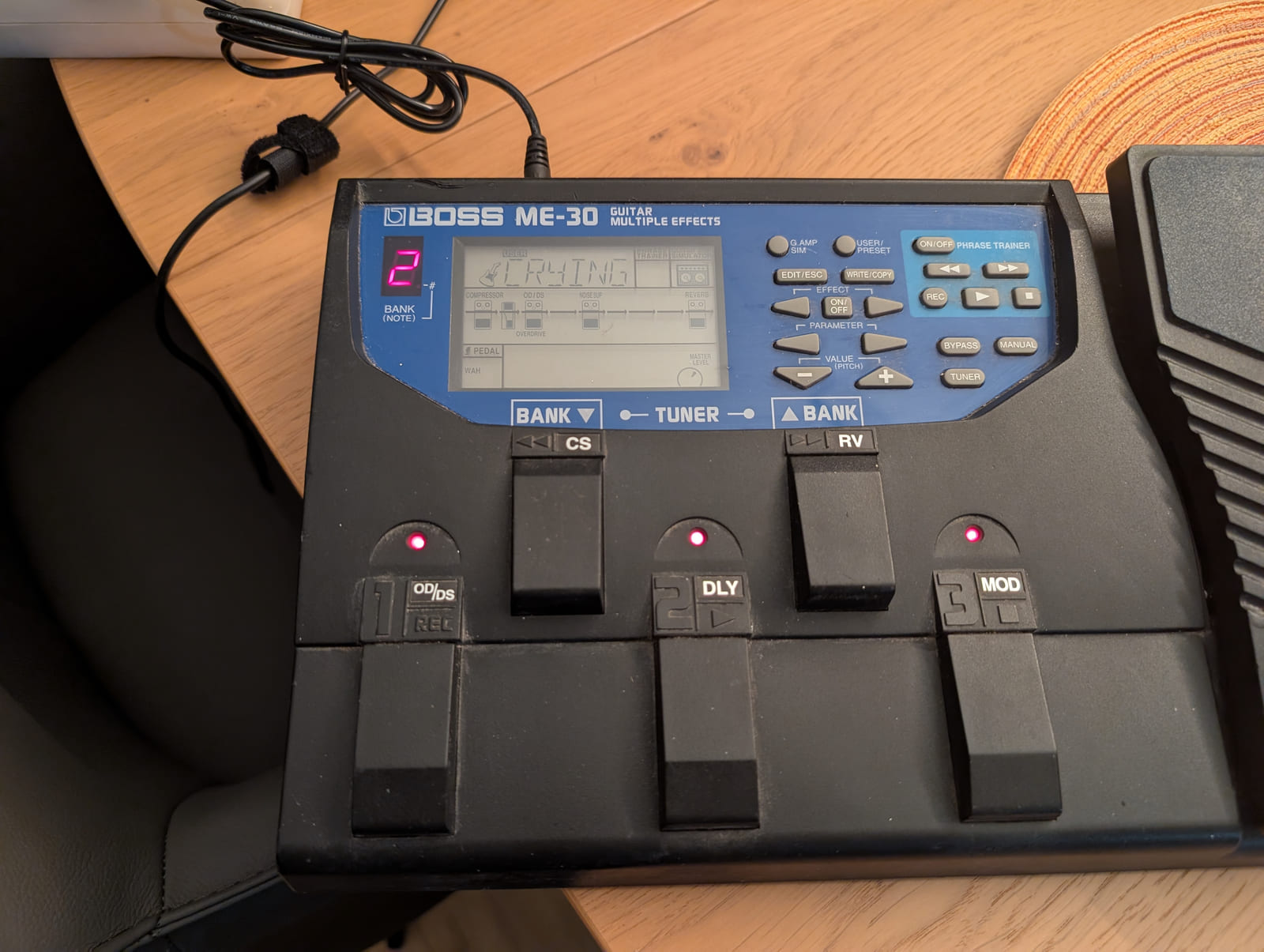
A Boss ME-30 guitar multi-effects unit.
The floor unit is the shape most of these captures end up in. One box, one cable to the amplifier, the whole chain under a single foot. This device is a Boss ME-30, an effects unit rather than a capture player, and it is here for a mundane reason: it is a freely licensed photograph of the form factor. The makers in the makers section publish their product photography under rights-reserved terms, so those units are documented in tables instead of being shown. Photograph: Elmschrat — CC BY 4.0, resized, source.
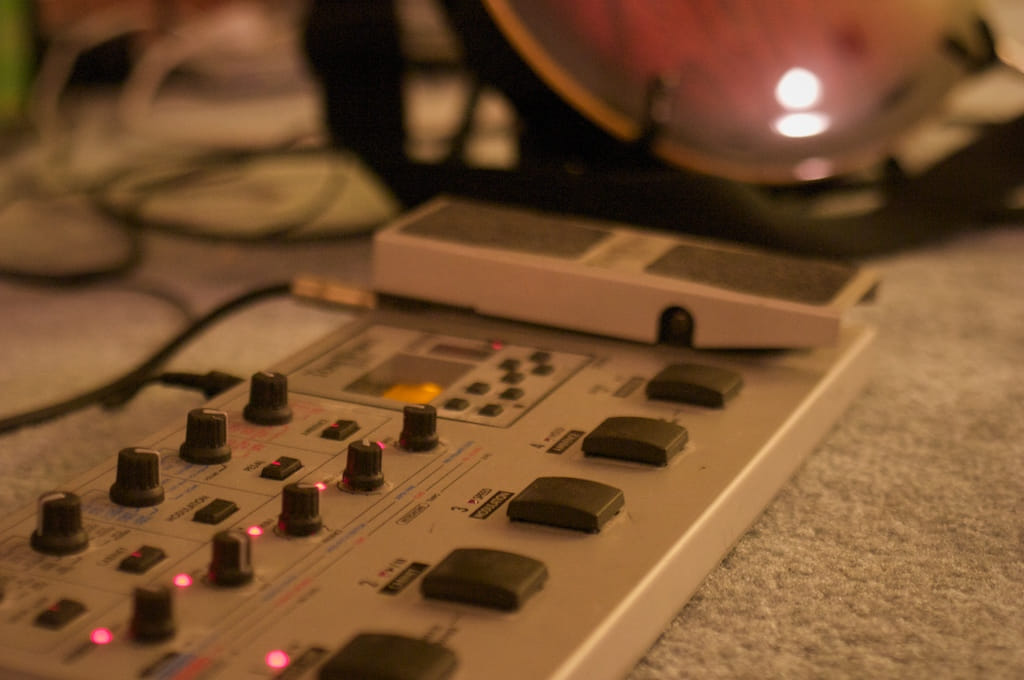
A Korg ToneWorks AX1000G modelling signal processor.
The idea is older than the file format. A Korg ToneWorks AX1000G — a modelling signal processor, in the words of its own file page. Putting a model of an amplifier into a floor box has been a product category for decades. What changed is where the model lives: it used to be sealed inside the box, and now it is a file you can copy, host, back up and publish. The uploader’s own description of this photograph calls it “the awesome all-in-one guitar pedal I bought in college”, which is a fair summary both of the promise and of how long it has been on offer. Photograph: Tom Small — CC BY-SA 2.0, resized, source.

03 · The tool

The TONE3000 plugin: library and chain builder in one window

Launched on 1 September 2026 and free of charge, the plugin is both the front end to the catalogue and the place where the chain gets built. You search the library, audition captures, stack them, match levels and print a result without leaving the DAW or opening a browser.

What the plugin actually provides, and why each item matters when you are building a chain rather than auditioning a single tone.
FeatureWhat it means in practice
Built-in tone browsingSearch the whole catalogue and load a capture without leaving the session, which removes the download-folder chaos that used to surround NAM.
Unlimited signal chainsAs many captures in series or parallel as the CPU allows. A pedalboard is a graph, not a fixed list of slots.
Dual chains & branchingSplit the signal into two paths and rejoin them: clean and dirty, DI and amped, or two cabinets on one head — the normal way to work on bass.
Level-matched A/BGlobal gain staging, EQ and normalisation between blocks, so the louder chain does not automatically win the comparison.
Full platform supportVST3, AU, AAX, CLAP, LV2 and a standalone build on macOS, Windows and Linux. The LV2 build is what makes this workflow possible on a stock distribution.

Method

Our creative logic, in four moves

  1. Select for the envelope, not the logo

    Start from the amplifier, because it sets the attack, the compression and the way the chain breathes. A pedal in front of the wrong amp model is a pedal in front of the wrong amp.

  2. Stack in signal order

    Drives and boosts before the amp, modulation and time-based effects after the cabinet. Keep every stage level-matched as you add it, or you will be choosing between chains by volume instead of by tone.

  3. Shape with the cabinet and the EQ

    The cabinet and microphone position decide most of what people call “the tone”. Change the IR first, then reach for the EQ — in that order, so you are correcting the right thing.

  4. Deliver with documentation

    Normalise, print, and write the recipe down: captures, versions, IR, gain settings and the input level. A chain you cannot rebuild next year is a session you will repeat from memory.

Recipe

A “Chain of Sound” in four blocks

The reference chain we build from most often. Every block comes from the free library; the only decision that costs money is the interface you already own.

Reference four-block chain, in signal order.
BlockTypical choiceWhy it sits there
FrontBoost or overdrive captureTightens the low end before the amp sees it — the oldest trick in the book.
AmpNAM capture of the headSets the character; only as accurate as the level you feed it.
Cabinet4×12 impulse responseMost of the frequency response of the finished sound lives here.
SpacePlate or room, low mixDepth without smearing the transient you just spent an hour on.

Calibrate the input before you judge a capture. This is the single most common reason a model sounds wrong. A capture was trained at a particular input level; feed it 6 dB hot and it distorts in a way the real amplifier never would, then everyone blames the model. Set the interface so a hard DI peaks around −12 to −6 dBFS, keep the plugin at unity, add no gain ahead of the amp block, and re-check the level whenever you switch captures. Fizzy, thin or blown-out is a level problem far more often than a modelling problem.

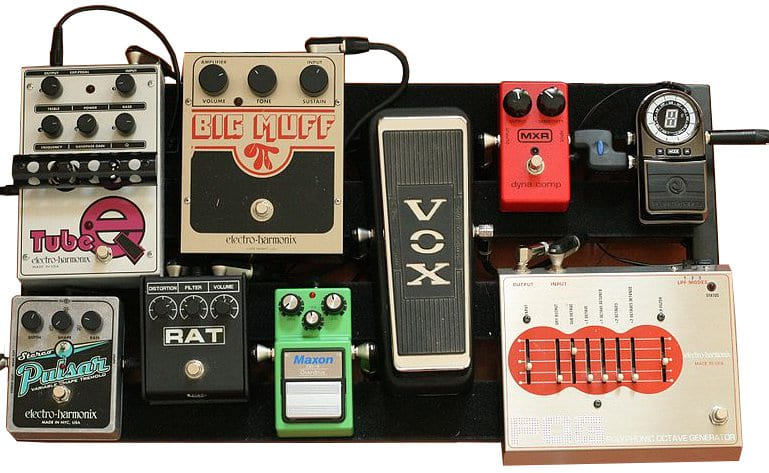
A pedalboard of guitar effects pedals connected in series by short patch cables.
Every capture is a photograph of a chain like this one. The board in this photograph runs a tuner, a compressor, an octave pedal, a wah, an overdrive, a distortion, a fuzz and a tremolo in series. Move any two of those boxes and a capture of the chain no longer describes the same sound, which is the argument for a chain builder that shows the order on screen instead of hiding it behind a preset name. Photo: Michael Morel, derivative by Atlantictire — CC BY 2.0, source.

04 · Cabinets

Cabinet impulse responses, captured the honest way

NAM models the amplifier, which is a non-linear device. The cabinet, the microphone and the room are a linear system, and a linear system belongs in a convolution impulse response. That is why the same capture through two different IRs sounds like two different rigs — and why a chain is not finished until the cabinet is chosen deliberately.

  1. Prepare the space

    Same microphone position, same speaker, same temperature where possible. Note the geometry; a metadata file turns a stray WAV into a reproducible measurement.

  2. Generate an exponential sweep

    Cover the full band you care about, commonly 20 Hz to 20 kHz, long enough to excite the longest decay — typically 5 to 20 seconds.

  3. Record the response

    Capture the sweep plus the full decay tail. Leave generous silence after the sweep so the reverb or the cabinet resonance is not truncated.

  4. Deconvolve with the inverse filter

    The Farina method: convolve the recording with the time-reversed, amplitude-compensated sweep. Harmonic distortion products arrive before the linear response and can be windowed out — which is the part a plain IR loader cannot do for you.

  5. Trim, normalise, document

    Trim to the direct sound, normalise consistently across the whole library, and store sample rate, microphone, gain, position and date alongside the file.

Tooling

Sweep and deconvolve with free tools

# 1. Generate a 10 s exponential sweep, 20 Hz - 20 kHz
sox -n sweep.wav synth 10 sine 20 \
    synth 10 sine 20000 \
    fade 0.01 10 0.01

# 2. Record the space (adjust device and channels for your rig)
sox -t alsa hw:1,0 -c 1 -r 48000 -b 24 capture.wav trim 0 12

# 3. Deconvolve by convolving with the inverse sweep
#    (reverse it, then apply the amplitude envelope)
sox sweep.wav inverse-raw.wav reverse
sox inverse-raw.wav inverse.wav vol -6dB

sox capture.wav inverse.wav ir.wav

# 4. Inspect the result before you trust it
sox ir.wav -n stat
sox ir.wav -n spectrogram -o ir.png

The exact inverse-filter envelope depends on your sweep parameters and playback chain. Verify by measuring a known reference — a straight cable loopback should produce an impulse response that is close to a single spike.

Naming

Names that survive a decade

Encode what you cannot hear in a filename: maker, model, microphone, position, distance, date. 1960A-sm57-cap-2in-2026-03.wav tells you more than cab_final_v7.wav ever will.

Checks

Before you ship a library

Consistent nominal level across every file, no clipping in the capture, correct sample rate and bit depth, and one honest A/B against the real cabinet. Document the noise floor.

Honesty

An IR can measure well and still sound wrong

A clean measurement of a microphone position nobody would use is still a useless file. Publish the measurement and the opinion side by side, labelled as such.

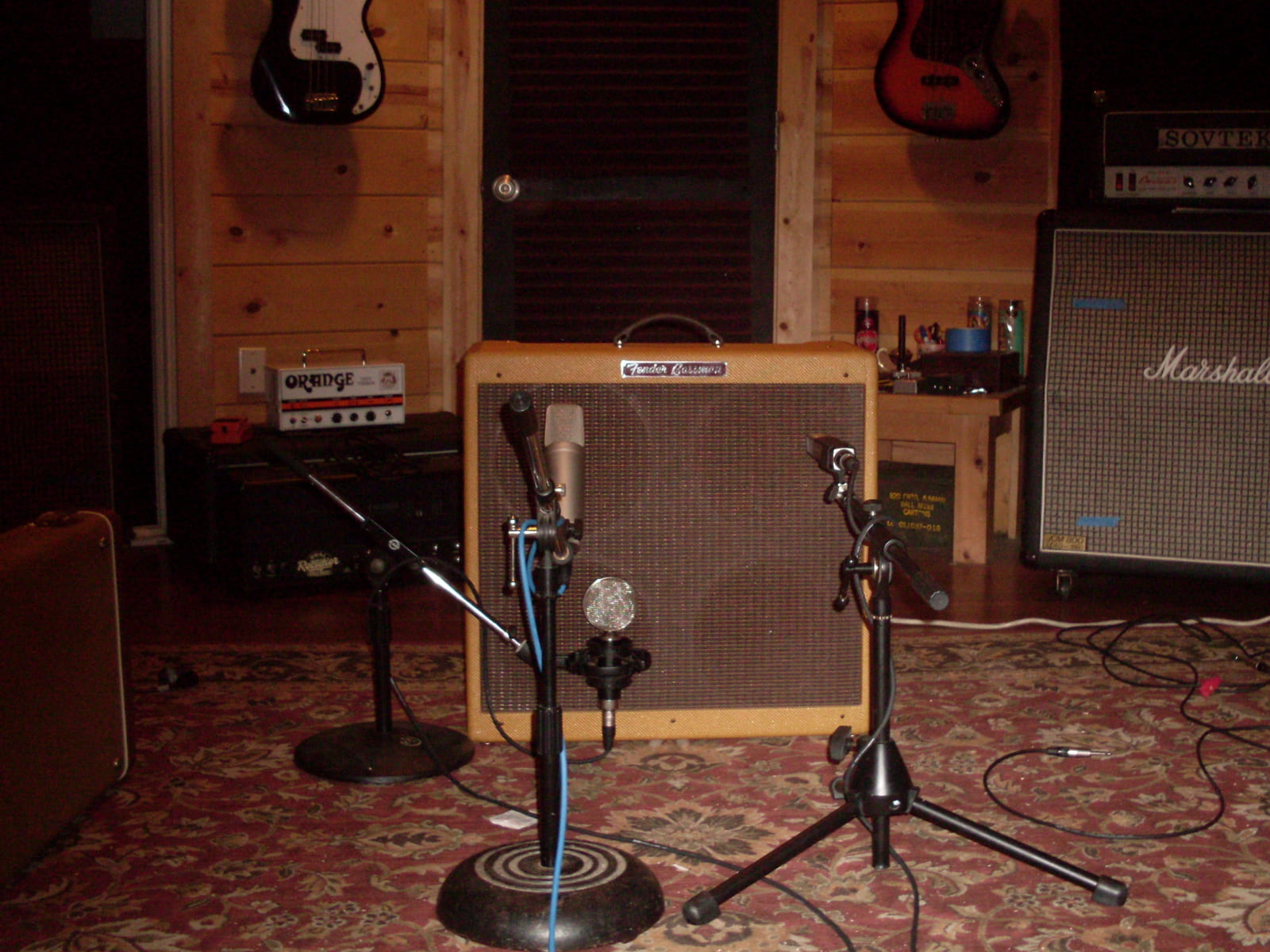
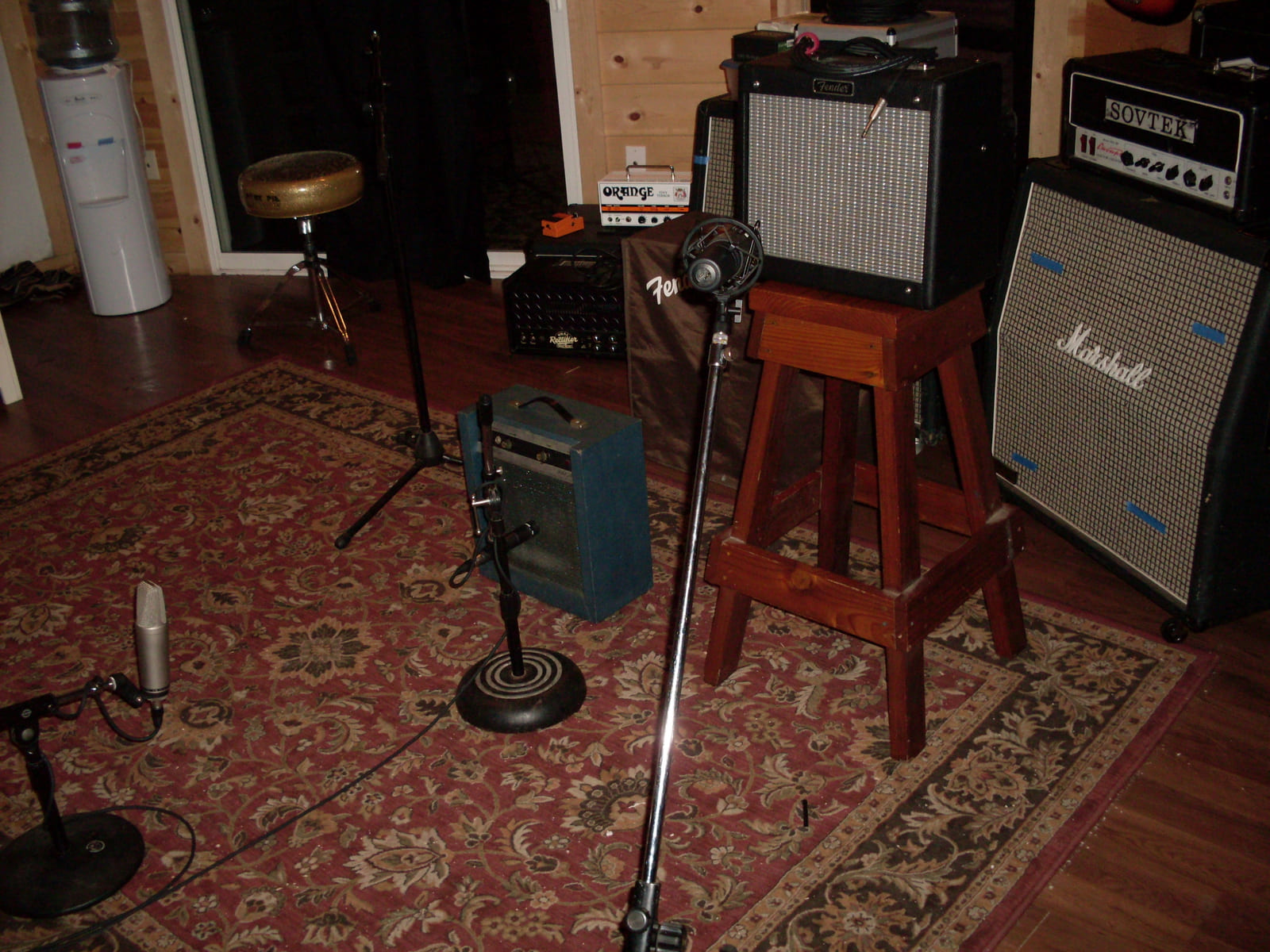
A microphone on a stand placed in front of a Fender Bassman guitar amplifier cabinet.
This arrangement is the whole measurement. One microphone, one distance from the grille cloth, one angle, one amplifier. An impulse response is that arrangement recorded properly — and the file only means anything to somebody else if the position, the distance and the microphone are written down next to it. Photo: Roadside Guitars — CC BY-SA 2.0, resized, source.
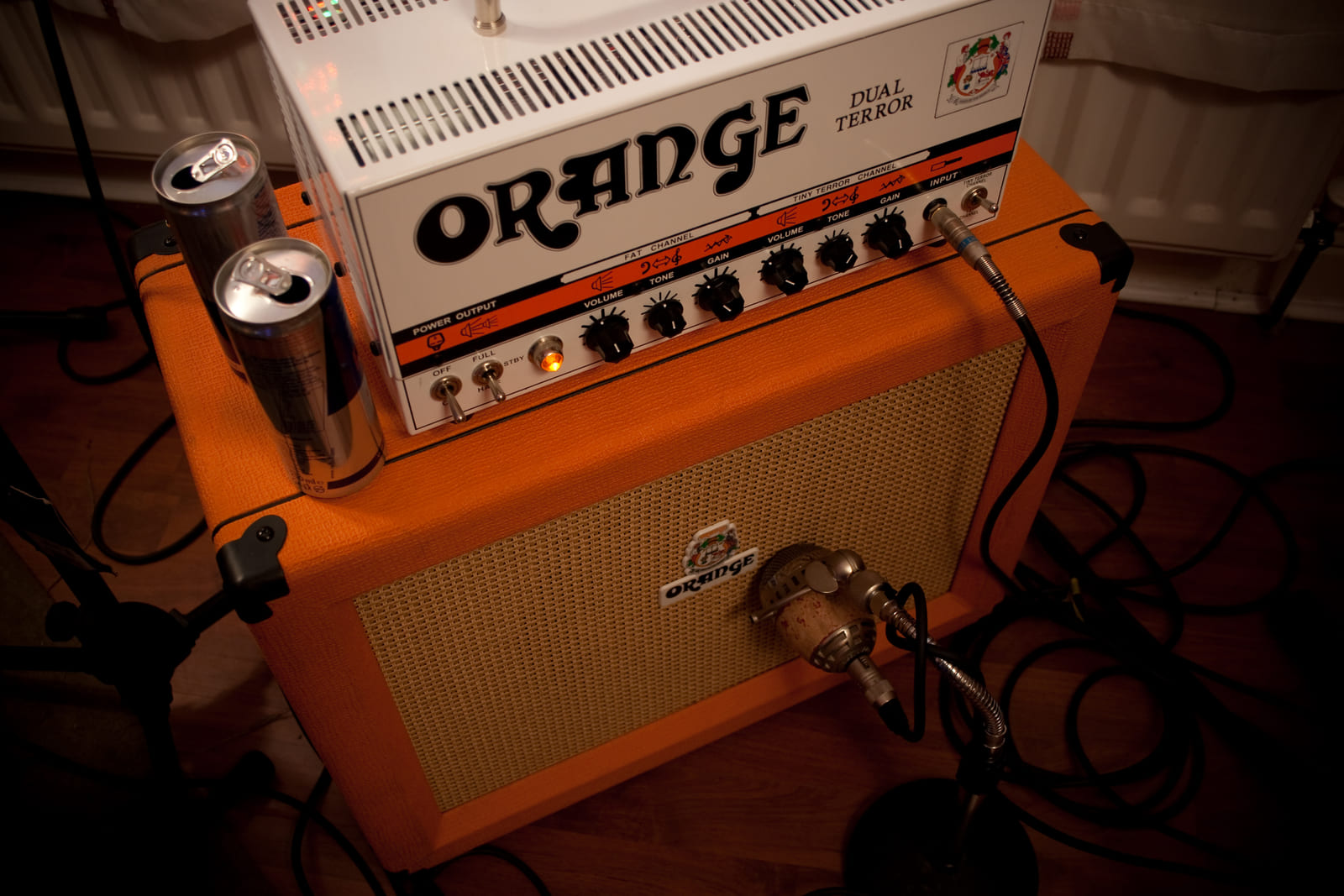
An Orange Dual Terror amplifier head with speaker cabinets, set up for re-amping.
Re-amping is the same measurement run backwards. The recorded DI is played out through a real amplifier, and the microphone in front of the cabinet records what comes back. The file page for this photograph documents it as re-amping through an Orange Dual Terror and an Orange cabinet — which is what a capture session looks like when the amplifier is in one room and the player is in another. Photo: masterbutler — CC BY 2.0, resized, source.

05 · Hardware

The manufacturers who bet on an open format

A format becomes infrastructure when the people who build the analogue gear it models start shipping it. Each of these makers did something more useful than adding a logo to a compatibility list: they published captures, integrated the library, or built hardware around a catalogue they do not own.

Blackstar Amplification

Verified captures, published by the maker

The British amplifier builder publishes signed-off NAM captures of its own amplifiers to TONE3000, free of charge. That settles the “is modelling legitimate” argument with the strongest possible answer — the manufacturer’s own measurement — and it hands you a reference file: compare your capture, your IR and your gain staging against the maker’s version instead of against your memory of a room.

HeadRush

The library inside the floor unit

Prime, Core and Flex Prime integrate the TONE3000 API directly: browse and load community captures from the touchscreen with no computer anywhere in the signal path. For live work that changes the failure mode — the thing that can break at a gig is a floor unit, not a laptop — and the tone you auditioned at home is the tone you carry to the stage.

Darkglass Electronics

Four captures at once, aimed at bass

The Anagram runs multiple NAM A2-Full captures simultaneously with a built-in TONE3000 browser. Running several models in parallel is what makes this interesting for bass: keeping a clean low end under a driven top end is the standard technique, not an exotic effect, and it needs a device that can afford the CPU.

Case study

SonuLab: hardware designed around a free library

SonuLab is the clearest example of a maker treating NAM as a first-class format rather than a compatibility checkbox. Its floor unit is not a closed ecosystem with a modelling engine bolted on; it is a player for a catalogue that belongs to the community, and the engineering decisions follow from that.

StompStation PRO — a floor unit built for the free catalogue

The StompStation PRO reads NAM A2-Full files natively, which turns 700,000 community captures into a hardware instrument instead of a plugin that needs a computer kept alive beside your pedalboard. Up to two NAM files can run in a single preset, and the same patch carries a complete stereo chain — impulse-response loader, modulation, delay and reverb — so the pedals you would otherwise bring are already in the signal path. For a chain builder that is the difference between modelling a rig and performing with one.

VXAMP — headroom where the artefacts used to be

SonuLab’s VXAMP engine runs its internal processing at an effective rate above 700 kHz inside a 192 kHz, 32-bit signal path, with a claimed 117 dB of dynamic range. On paper that is overkill; in practice it is how a digital rig avoids the aliasing and the thin “digital sheen” that make older modellers obvious on clean and edge-of-breakup material — which is precisely where captures live or die. Builders should read those numbers as an argument about artefacts, not as a marketing score.

VoidX-Control — the chain on a phone screen

VoidX-Control turns a phone or tablet into the editor: build the chain, swap captures, rename presets, keep the storage tidy and update firmware without balancing a laptop on a flight case. It is the part most hardware makers skip, and it decides whether you actually use a large library or stay on the first preset you liked. Editing is where a free catalogue becomes a usable one.

For the Chain of Sound workflow, SonuLab matters because it closes the loop: the same captures and the same chain you built on a desktop, running on hardware at the end of a cable. We are not affiliated with SonuLab and receive nothing for writing this.
How the four manufacturers support NAM today. Capabilities move quickly — check the firmware version before you buy.
DeviceLibrary accessNAM capabilityWhy it matters
Blackstar amplifiersTONE3000, freeMaker-published capturesA manufacturer-verified reference to measure your own chain against.
HeadRush Prime / Core / Flex PrimeTONE3000 API, on-deviceCapture player with a floor-friendly workflowNo computer in the signal path; the stage rig and the studio rig agree.
Darkglass AnagramTONE3000 browser, on-deviceMultiple A2-Full captures in parallelParallel bass chains without a laptop and an interface.
SonuLab StompStation PROCommunity catalogue, on-deviceTwo NAM files per preset, full stereo chainAn open catalogue as the instrument, with the pedals included.
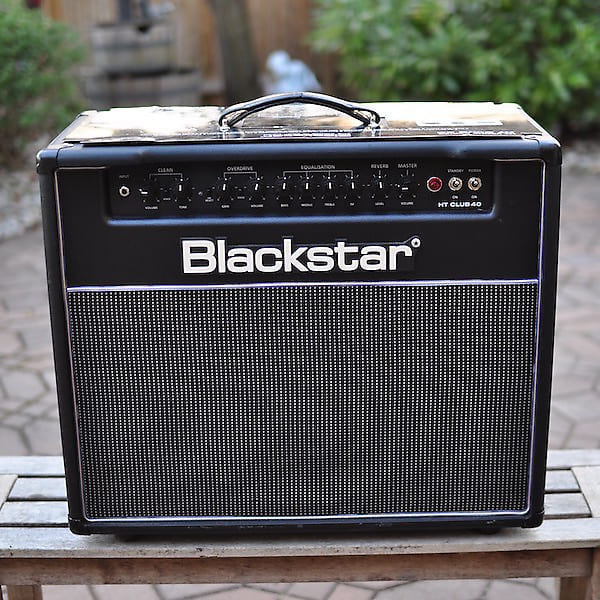
A Blackstar HT Club 40 guitar amplifier.
Blackstar HT Club 40. One of the four makers in the table above, and the only one whose hardware we can show you: this is a photograph taken by a member of the public and released under a free licence, not a maker’s press render. The others publish no reusable product photography, so we describe them rather than illustrate them. Photo: Morriscollege420 — CC BY-SA 4.0, source.

06 · Your distribution

It is probably already installed: free audio software in the distributions

“Free” here means two things. The captures are free, and so is most of the software you need to record, mix, model, master and measure them. A stock Linux distribution carries a complete audio stack in its package manager: a professional DAW, a modular patchbay, hundreds of LV2 effects, synthesisers, drum machines, a DJ application, a spectrogram tool and a notation engraver. You do not have to build a studio from source to build a signal chain.

Package names below were checked against the Ubuntu 24.04 repositories. Names differ between distributions and change between releases; a few tools ship only as an upstream build, a Flatpak or an AppImage, and those are marked as such.

The session plumbing: routing, recording and editing, as packaged in Debian and Ubuntu.
LayerPackageWhat it gives you
Audio server & routingpipewire, wireplumberA low-latency graph with per-application routing that also speaks JACK, which is why modern releases do not need a separate JACK daemon to run pro audio.
Patchbay & plugin hostqpwgraph, carlaDrag-and-drop connections between applications and ports; Carla also hosts LV2, VST3 and CLAP plugins outside a DAW.
Multitrack DAWardourRecording, non-destructive editing, automation and mixing — the reference open-source DAW, and where a Chain of Sound session normally lives.
MIDI-first sequencingqtractor, rosegarden, lmmsArrangement and MIDI work; LMMS for beat-driven production, qtractor when you want an LV2 host with a timeline.
Two-track editingaudacityFast destructive edits, format conversion, batch macro processing and quick spectrogram checks.
Analysis & meteringsonic-visualiser, japa, easyeffectsSpectrograms, loudness and spectrum analysis, plus system-wide EQ and limiting when you need to tame a room or a laptop speaker.
DJ & librarymixxxLibrary management, timecode and controller support, and a second use for the same audio interface.
Guitar, effects, synthesis and measurement. The first row is the whole point of this page.
JobPackageWhat it gives you
Amp & pedal modellingguitarix, neural-amp-modeler (pip), AIDA-X (upstream LV2)Guitarix as a ready-made guitar chain and NAM host; the NAM trainer to build your own captures; AIDA-X to run them as a plugin in any LV2 host.
Effects rackscalf-plugins, lsp-plugins, zam-plugins, x42-plugins, mda-lv2Compressors, EQs, reverbs, limiters, gates and meters — hundreds of LV2 plugins, all scriptable and all free of licence servers.
Synthesis & samplingzynaddsubfx, yoshimi, samplv1, drumkv1, Surge XT (upstream)Additive, subtractive and wavetable synthesis plus sample and drum instruments, so the chain is not only guitar.
Drumshydrogen, drumgizmoPattern programming and multisampled acoustic kits for writing and rehearsing against a part that keeps time.
Live loopingsooperlooper, giadaLoop stacking for performance and practice; both run inside the same PipeWire graph as the rest of the session.
Capture trainingsox, ffmpeg, neural-amp-modelerRe-amping, file surgery and model training stay scriptable, which means a capture can be reproduced from a shell script instead of a memory.
Notation & scoresmusescore3, lilypondEngraving, playback and text-based scores that live in version control beside the session files.
Easiest start

Ubuntu Studio

The shortest path to a working studio: a low-latency kernel, PipeWire and JACK configured to cooperate, and the audio meta-packages that install the toolchain in one transaction. If the goal is making sound rather than learning packaging, start here.

Newest kernels

Fedora Jam, Arch and openSUSE

Fedora’s Jam lab, the Arch pro-audio group and openSUSE’s audio patterns cover the same ground on a faster release cadence. They assume you read the wiki and enjoy it — and they are where new PipeWire features land first.

Open hardware

Single-board computers as pedals

A Raspberry Pi with a class-compliant interface runs a NAM host on a stock ARM image, which is where the audio track meets the open-hardware track. Be honest about the limit: it is a fine practice and recording rig, not yet a low-latency stage rig.

  1. Let PipeWire own the graph

    Install pipewire and wireplumber, keep the pipewire-jack compatibility layer, and stop starting jackd by hand. Verify with pw-top and wpctl status rather than by guessing.

  2. Give audio real-time scheduling

    Add your user to the audio group and let rtkit grant priority. Raise memlock limits in /etc/security/limits.d/; then leave the rest of the folklore alone until a measurement asks for it.

  3. Measure, then tune

    Watch for xruns at your working buffer size, not at the smallest size you can force. A slightly larger quantum you never notice beats a dropout you always do.

Training your own captures on Linux. The trainer installs from pip and runs on a CPU, though a discrete GPU makes the wait tolerable — CUDA and ROCm are both supported upstream. Re-amp through the interface, record the DI and the amp in two takes of exactly the same performance, and keep the input level written down. That level is the number the whole chain depends on.

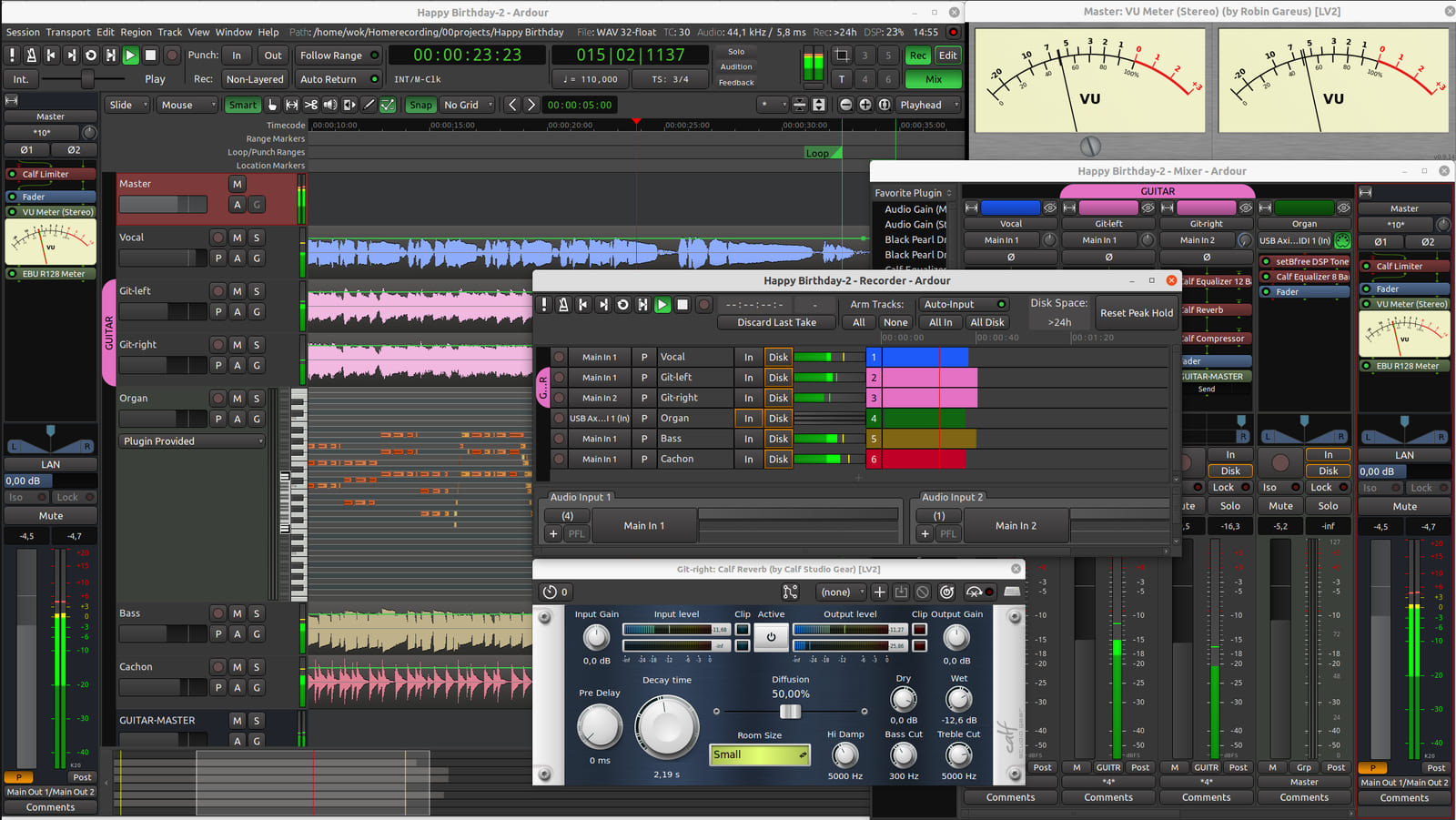
A screenshot of Ardour 6.7 showing its recorder, editor and mixer windows.
Ardour 6.7 — the ardour row in the first table. Recorder, editor and mixer, three windows, no licence server and no account to keep alive. A Chain of Sound session normally lives here, because nothing in it stops opening when a subscription ends. The current release is Ardour 9.2; this screenshot is 6.7, and it is the newest one anybody has released under a free licence — the alternatives are from 2008, 2009 and 2013, and two of those are under licences we cannot reuse. An old version we may show you beats a current one we may not. Screenshot: Derwok — CC0, resized, source.
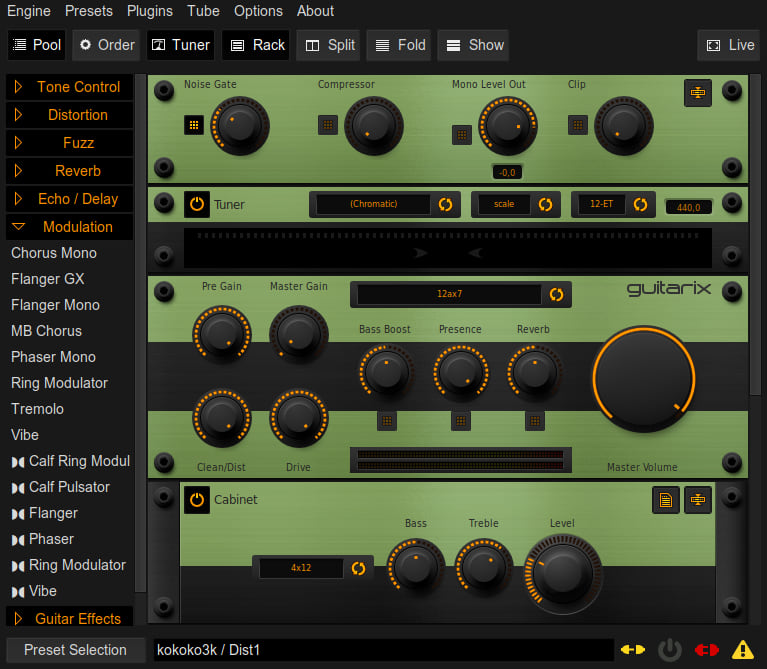
A screenshot of the Guitarix guitar amplifier and effects rack window.
Guitarix — the amp and pedal modelling row in the second table. A guitar rig assembled out of packaged modules: amplifier, cabinet, effects, all of it adjustable, none of it dependent on one vendor still being in business next year. This window is version 0.35.0 from 2016, the only Guitarix screenshot under a free licence; current releases are 0.47.0, and the plug-in collection has moved on more than the layout has. Screenshot: Flachatmer — CC BY-SA 4.0, resized, source.
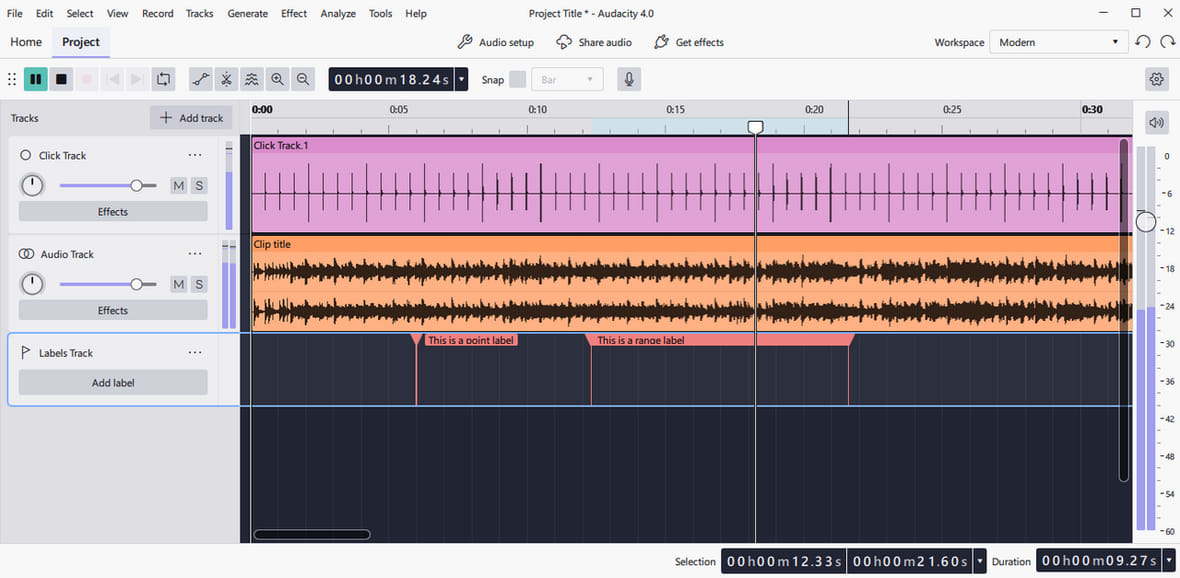
A screenshot of Audacity 4.0 showing a timeline with audio tracks and basic controls.
Audacity 4.0 — the audacity row in the first table. The two-track editor that is already installed on most of the machines reading this page. Trim a take, convert a format, run a macro across a folder of captures, look at a spectrogram before you trust your ears. This screenshot is new rather than historical: it was published under a free licence on 3 September 2026, which the Ardour note above shows is not the normal case. Screenshot: Zurel — CC BY-SA 4.0, resized, source.
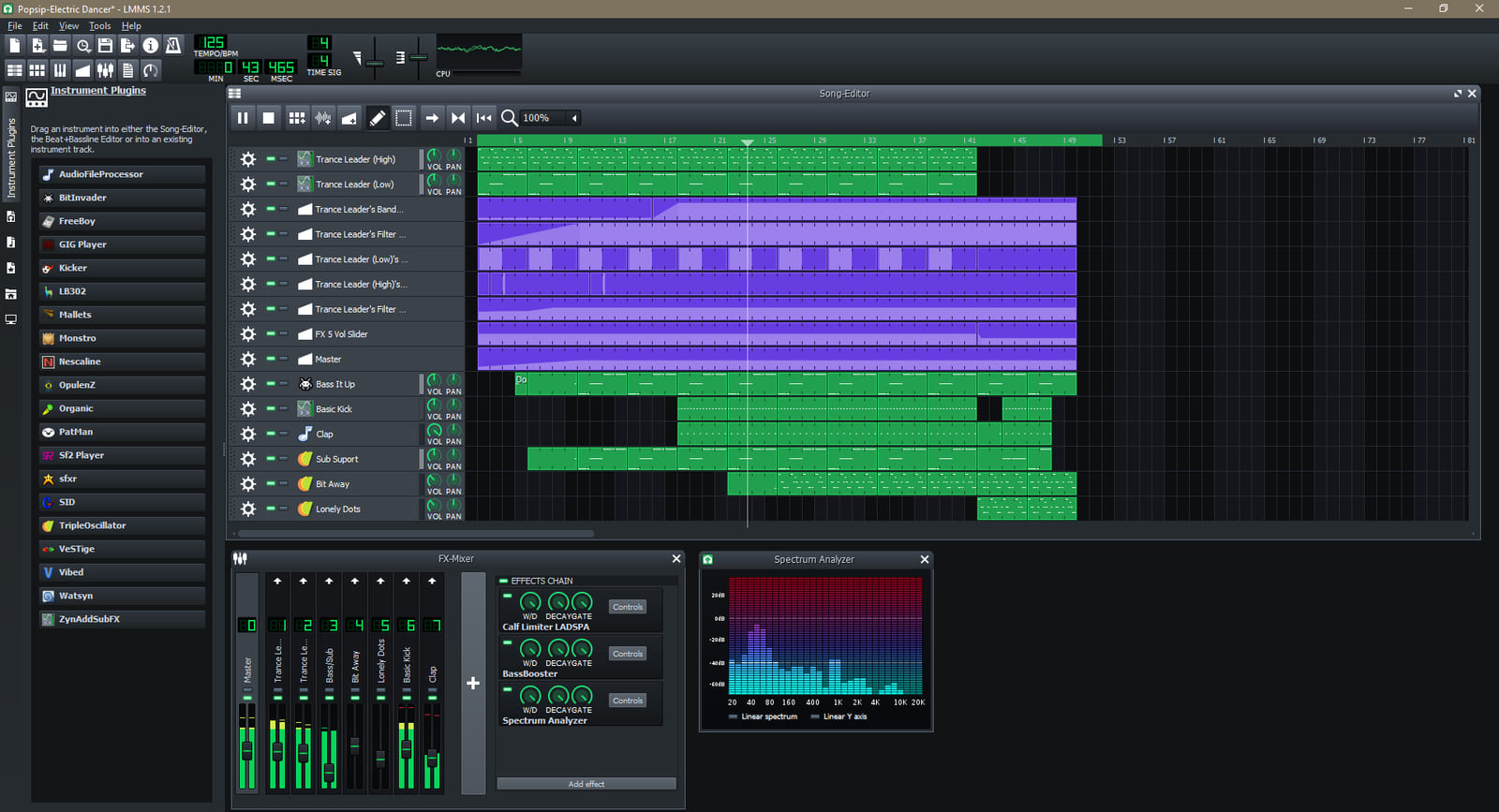
A screenshot of LMMS 1.2.1 with its demo song loaded, showing the sequencer and tracks.
LMMS — the lmms end of the MIDI-first sequencing row. Step sequencer, bundled synths, a demo song already loaded: the quickest way to find out whether an idea is worth keeping before you open anything heavier. Released CC0, which asks for nothing at all — we credit it anyway, because a credit is cheaper than an argument. Screenshot: Ranged Ranger — CC0, resized, source.
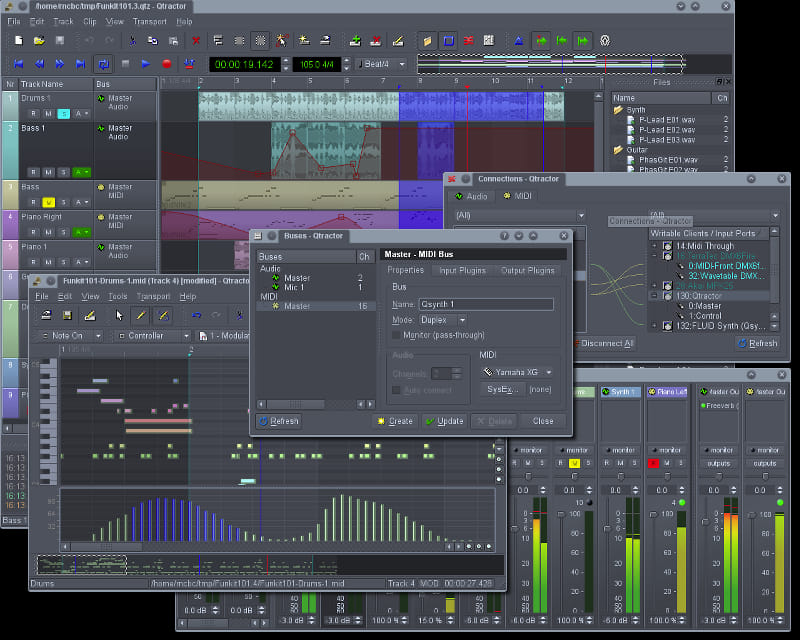
A screenshot of the Qtractor multitrack sequencer.
Qtractor — the timeline half of the same row. The screenshot from Qtractor’s own website, given away by Rui Nuno Capela, who writes the program. It dates from 2015, so the window furniture is older than the current release; it survives here because it is the author’s own image under CC0, and an honest old screenshot beats a current one we would have no right to publish. Screenshot: Rui Nuno Capela — CC0, resized, source.

07 · The guide

Where to start, and what comes next

This page is the spine of the series. Each part below becomes its own document, written with the same rule as everything else we publish: state the method, show the measurement, and print the corrections where people can find them.

Guide 01

Getting started

Install the plugin, calibrate the input, load one capture and A/B it against a clean DI. The first hour decides whether everything after it works.

Guide 02

Chain-building tutorials

A clean pedal platform, a high-gain stack, a parallel bass rig and an ambient chain — each built end to end from captures already in the free library.

Guide 03

Curated capture collections

Shortlists organised by job rather than by brand: edge-of-breakup, fuzz, bass DI, direct-to-desk. Judged on how they sit in a mix, not on how they sound alone.

Guide 04

Hardware ecosystem guide

What each floor unit really does with NAM — how many captures, which format version, how it browses the library — so you buy hardware for the workflow you actually have.

Guide 05

Creator stories

The people publishing captures: how they run a capture session, how they document it, and how they handle consent when the amplifier belongs to a client.

Guide 06

Bench notes and errata

Our measurements, the captures that failed, and the impulse response that measured perfectly and sounded wrong. Published with the method, corrected in public.

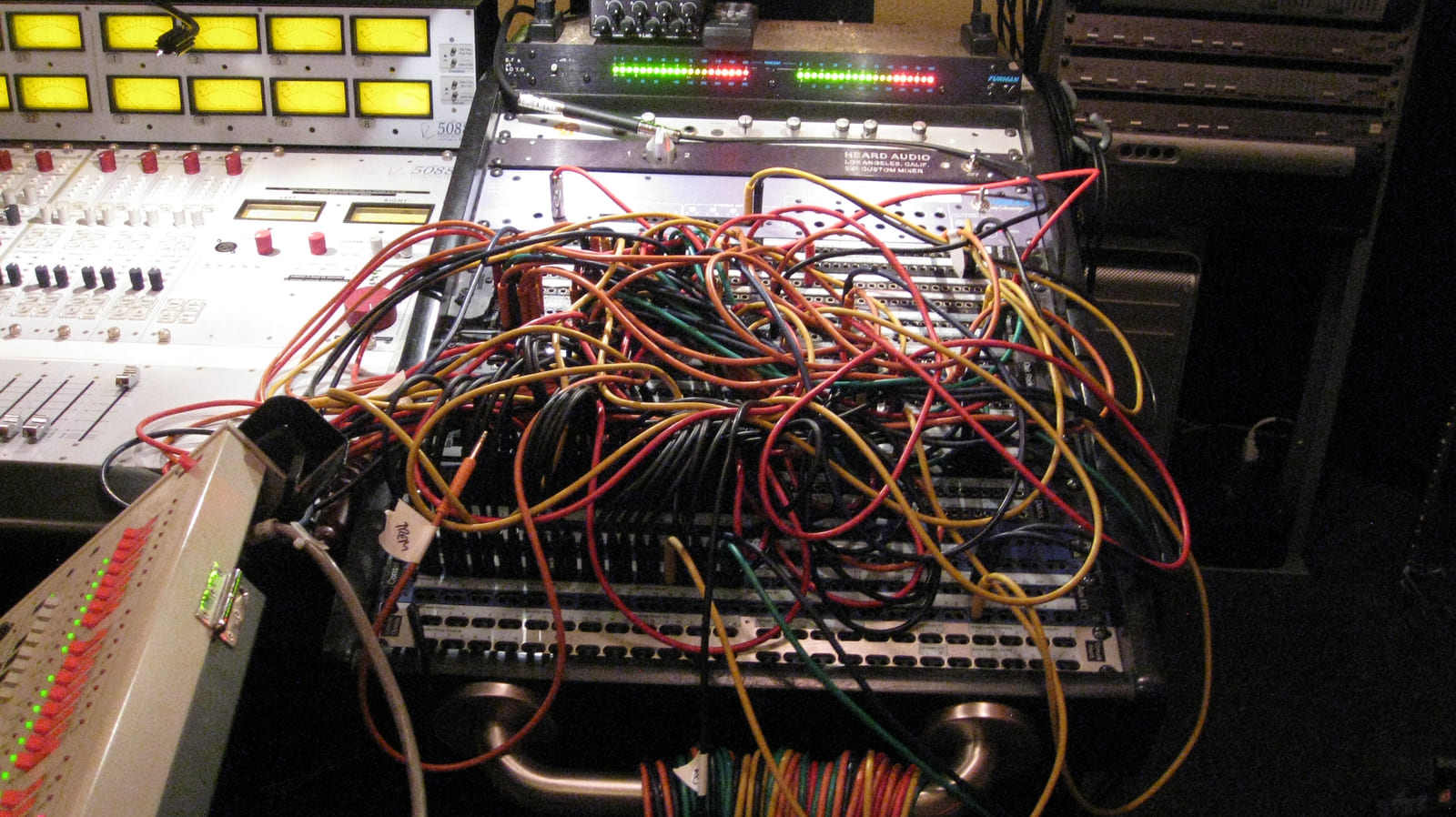
The patchbay at Jackpot! Recording Studio in Portland, Oregon.
This is where a chain is actually joined up. A patchbay at Jackpot! Recording Studio in Portland, Oregon. Re-amping runs through a bay like this one: the interface’s output leaves the computer, arrives at a socket, and goes back out to an amplifier. It is also why the input level belongs in your notes beside the capture — it is the one number in the chain that cannot be recovered from the recording afterwards. Photograph: VACANT FEVER — CC BY-SA 2.0, resized, source.

08 · Questions

Straight answers

Is TONE3000 free?

The library and the plugin are free to use, and community uploads are published under the platform’s licence so they can be shared at all. Curated commercial packs exist alongside them and buy you convenience and a smaller shortlist, not legality.

Do I need a fast computer?

A capture is cheaper to run than a full physical-modelling suite, so an older laptop handles several blocks comfortably. A2-Full models and dual-chain patches cost more, so print the chain when a mix gets dense instead of buying a machine to audition it.

Does this work on Linux?

Yes, and that is the point of the distribution section. The plugin ships an LV2 build, captures are plain files, and the rest of the session — Ardour, PipeWire, the LSP and Calf plugins — comes from the repositories you already have.

Is a capture the same as the amplifier?

No. It is a measurement of one amplifier, at one setting, through one signal path. Change the input level, the cabinet or the room and you have changed more than the model did. Treat a capture as a documented starting point, not as a copy of an object.

09 · Provenance

What we claim, and what we are repeating

  • Figures are platform claims. The 700,000-plus captures, 600,000 monthly users, 9 million downloads, the growth from 300,000 in three months and the 1 September 2026 plugin launch are as published by the platform. We repeat them as claims, not as measurements.
  • The blind-test result is a community claim. We could not find a peer-reviewed study behind it, so we describe it as reported rather than established.
  • NAM is a moving target. A2 changed the model format, and A2-Full models cost noticeably more CPU than the models they replace. Hardware support lags a new format by months: check the version your device runs before you buy it.
  • Package names were checked against the Ubuntu 24.04 repositories. Debian, Fedora and Arch rename things, and every release moves. Where a tool is not packaged we say so instead of pretending it is one command away.
  • Trademarks belong to their owners, and we have nothing to do with them. Neural Amp Modeler, TONE3000, SonuLab, Blackstar, HeadRush, Darkglass, Ardour, Guitarix and the rest are the property of their respective companies, and their names are used here only to identify the hardware and software being discussed. Polymathes is not affiliated with, associated with, authorised by, sponsored by or endorsed by any of them, none of them has reviewed or approved this page, and we receive nothing for writing it. “Chain of Sound” is our own project.
  • Every photograph is credited, licensed and removable on request. The five pictures on this page come from a public collection, each under a licence that permits reuse, with the photographer, the licence and a link to the original file page printed beneath it. They were not taken from a search-engine results page and not from a manufacturer's press material: an image whose author or licence we cannot establish is simply not published, which is why three of the four makers in the table above are described rather than shown. If you hold the rights to one of these pictures and want it credited differently or taken down, say so on the contact page or at errata@polymathes.cc and it comes down.
  • Corrections go to the contact page or to errata@polymathes.cc. They are reviewed in public, and the page is edited rather than quietly reposted.

Contact

Send us your chain

A capture we should hear, an IR that measured well and sounded wrong, a distro package that has moved, or a correction to something on this page — all of it is welcome. Measurements and session files beat opinions, but opinions are read too.

  • Audio & captures audio@polymathes.cc Weekly on the mailing list
  • Corrections & errata errata@polymathes.cc Reviewed in public